
Choosing practice management software is one of the most consequential decisions you will make for your medical clinic. The right platform streamlines every aspect of your operations — from scheduling and patient intake to billing and reporting. The wrong one creates frustration, slows your team down, and can even cost you patients.
With dozens of options on the market, each claiming to be the best solution for medical practices, the selection process can feel overwhelming. This guide breaks down what actually matters when evaluating practice management software, so you can make a confident decision that serves your clinic for years to come.
Why Practice Management Software Matters
Running a medical practice on spreadsheets, paper records, and disconnected tools is no longer viable. Modern patients expect online scheduling, digital communications, and efficient visits. Meanwhile, regulatory requirements, insurance complexity, and staffing challenges demand that you operate at peak efficiency just to stay competitive.
Practice management software brings all of these threads together in a single platform. When your scheduling, patient records, billing, and communications share one system, data flows automatically instead of being manually transferred between tools. This eliminates duplicate data entry, reduces errors, and gives you a complete picture of your practice's performance at any time.
The financial impact is significant. Practices that implement comprehensive management software typically see a 15% to 25% increase in revenue through better scheduling utilization, faster collections, and reduced administrative overhead. Staff productivity often improves by 20% to 30% as manual tasks are automated.
Essential Features to Look For
Not every feature matters equally. Focus your evaluation on the capabilities that will have the biggest impact on your daily operations and long-term growth.
Scheduling and Calendar Management
Your scheduling system is the backbone of your practice. Look for software that offers flexible appointment templates, allowing you to define different visit types with appropriate time blocks. Multi-provider scheduling should display all providers' calendars side by side so your front desk can spot openings instantly.
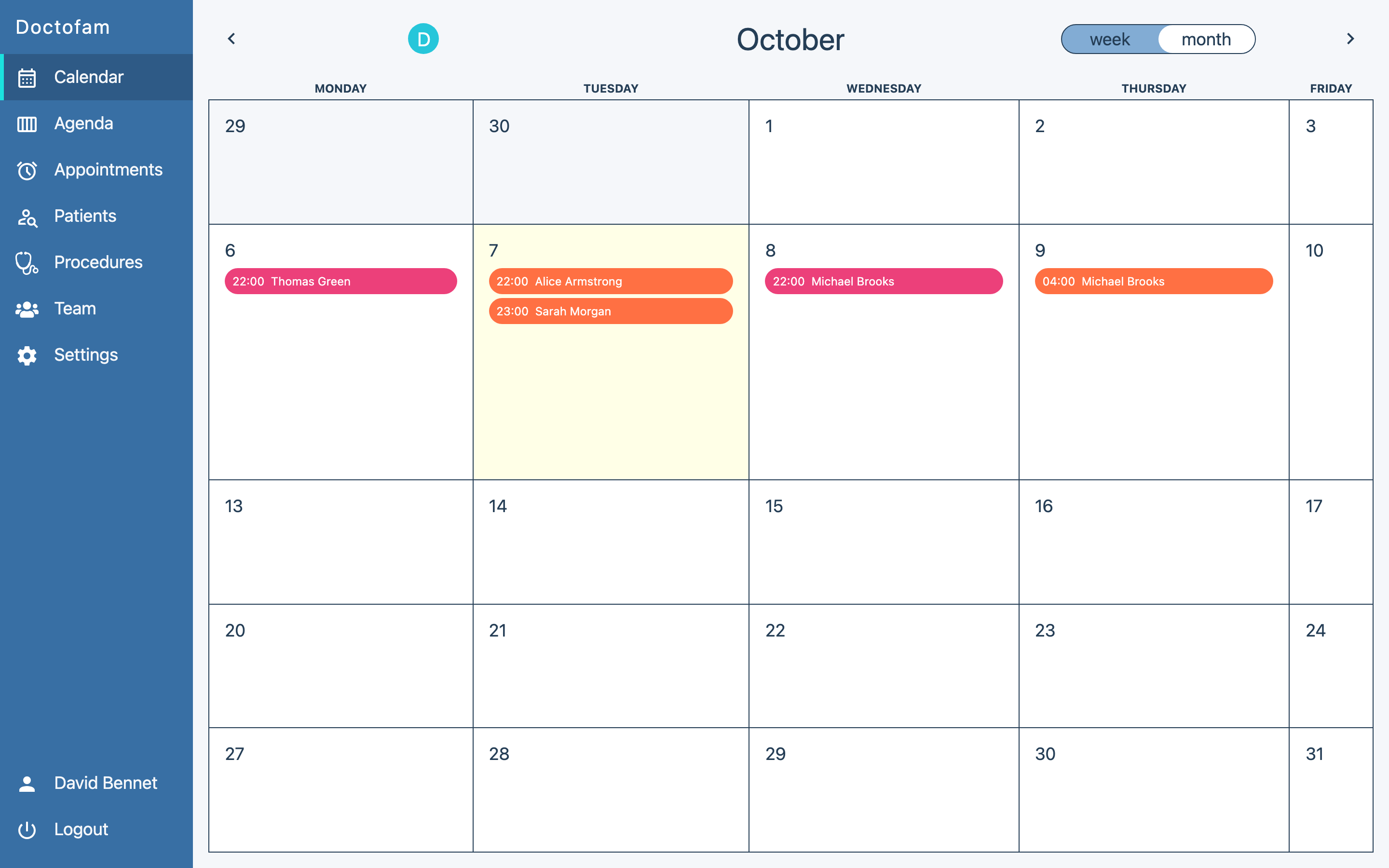
Online patient self-scheduling is increasingly essential. Patients expect the ability to book appointments on their own time, and practices offering this feature report 30% to 40% fewer scheduling phone calls. The software should let you control which appointment types are available for self-scheduling and set rules around booking windows and provider preferences.
Waitlist management is another valuable scheduling feature. When a cancellation opens up a slot, the system should automatically notify patients on the waitlist, helping you fill gaps before they cost you revenue.
Patient Communication Tools
Effective patient communication reduces no-shows, improves satisfaction, and builds loyalty. Your software should include automated appointment reminders via text, email, and phone, with customizable timing and messaging. Two-way texting is increasingly important, allowing patients to confirm, reschedule, or ask questions without calling your office. Doctofam's own SMS reminders and WhatsApp reminders follow this exact model — automated, multi-channel, and fully customizable.
Look for broadcast messaging capabilities that let you send updates to groups of patients — flu shot availability, schedule changes, or holiday hours. Post-visit automated follow-ups with care instructions and satisfaction surveys round out a strong communication suite.
Billing and Revenue Cycle Management
Billing features can make or break your revenue cycle. At a minimum, your software should support electronic claims submission, real-time insurance eligibility verification, and automated patient billing. Integration with clearinghouses streamlines claims processing and reduces rejection rates.
Reporting on your revenue cycle is critical. You should be able to see your claims aging, denial rates, collection percentages, and payer performance at a glance. Practices that actively monitor these metrics and address issues promptly collect 10% to 15% more than those that let claims sit unattended.
Reporting and Analytics
Data-driven decision making separates thriving practices from struggling ones. Your software should provide clear dashboards showing key performance indicators — patient volume trends, revenue by provider, no-show rates, and payer mix. Custom report builders let you dig deeper into specific questions about your practice's performance.
Look for software that presents data visually through charts and graphs rather than just raw numbers. When you can see trends at a glance, you are more likely to spot opportunities and address problems before they grow.
Cloud-Based vs. On-Premise Solutions: Weighing the Challenges
This is one of the first decisions you will need to make, and for most practices, the answer is increasingly clear: cloud-based software offers significant advantages over traditional on-premise installations.
Cloud-based systems require no server hardware to purchase or maintain. Updates happen automatically, so you are always running the latest version with the newest features and security patches. Your data is accessible from any device with an internet connection, which is invaluable for providers who work across multiple locations or need to check schedules from home.
Cloud platforms also handle data backup and disaster recovery for you. If your office experiences a fire, flood, or hardware failure, your data is safe in the cloud and accessible from any temporary location. On-premise systems put this responsibility entirely on you.
The main concern with cloud systems is internet dependency — if your connection goes down, you lose access. However, most modern platforms include offline modes for basic functionality, and reliable internet is so widely available that this risk is minimal for most practices.
Patient Records and Data Management
Comprehensive patient records are the foundation of quality care and efficient operations. Your software should make it easy to access a patient's full history — appointments, treatments, billing, and communications — from a single view.
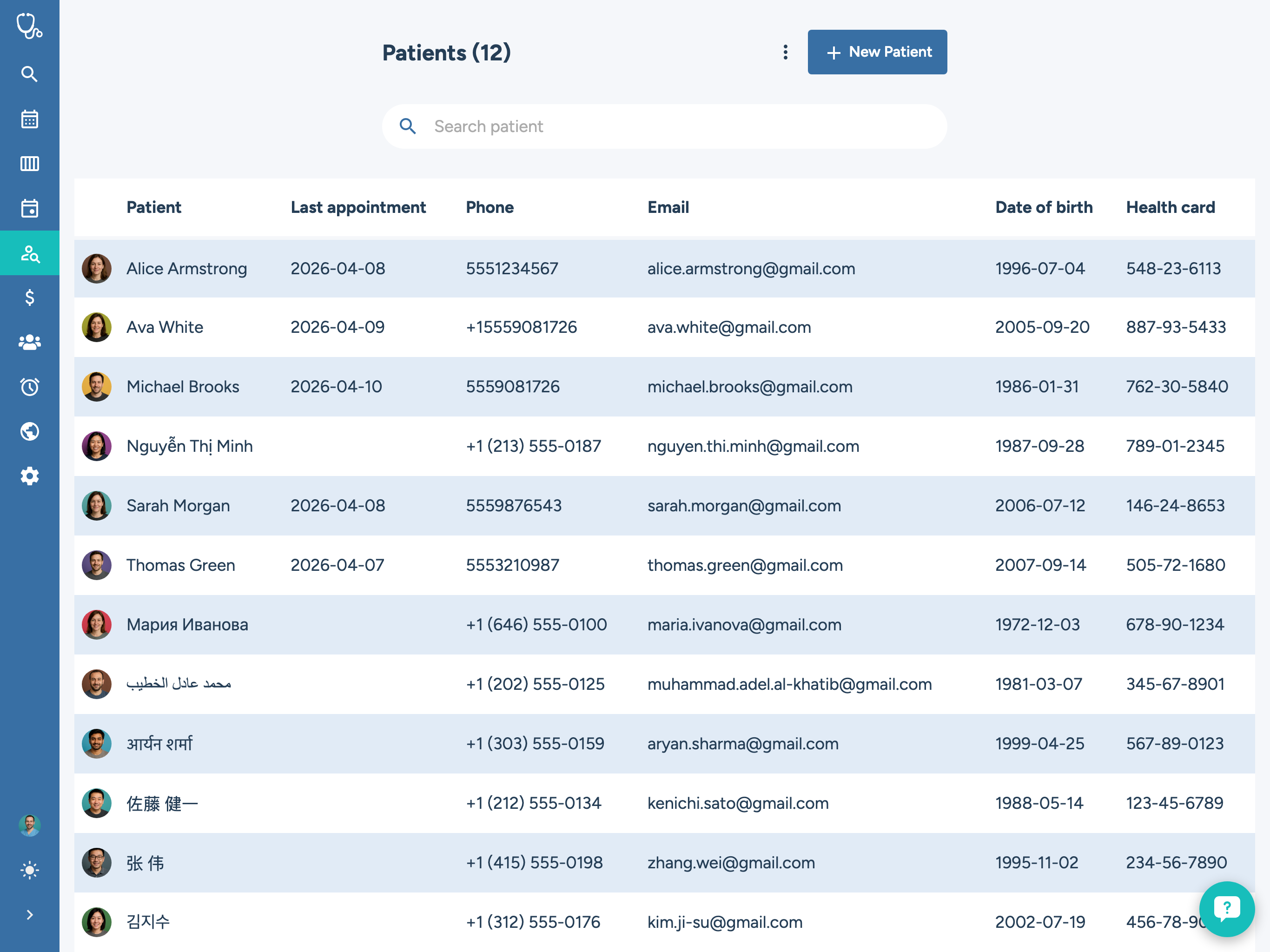
Look for customizable intake forms that patients can complete before their visit, reducing check-in time and data entry errors. The system should support document uploads for insurance cards, referral letters, and test results, keeping everything organized in the patient's digital file.
Search and filtering capabilities matter more than you might think. When your practice grows to thousands of active patients, the ability to quickly find records by name, date of birth, insurance, or condition saves significant time for your front desk and clinical staff.
Integration Capabilities
No practice management system does everything perfectly. Your software will need to work alongside other tools — lab systems, imaging platforms, prescription networks, and accounting software. Strong integration capabilities prevent these connections from becoming manual bottlenecks.
Ask vendors about their API availability and existing integrations. A platform with a robust API and a library of pre-built integrations will grow with your practice more effectively than a closed system that requires custom development for every connection.
Integration with telehealth platforms deserves special attention. Virtual visits are here to stay, and your practice management software should coordinate seamlessly with your telehealth solution — scheduling virtual appointments alongside in-person ones, sending video links automatically, and documenting virtual encounters in the same patient record.
Evaluating Usability and Training
The most feature-rich software in the world is worthless if your team cannot use it effectively. During your evaluation, pay close attention to the user interface and the learning curve required for daily tasks.
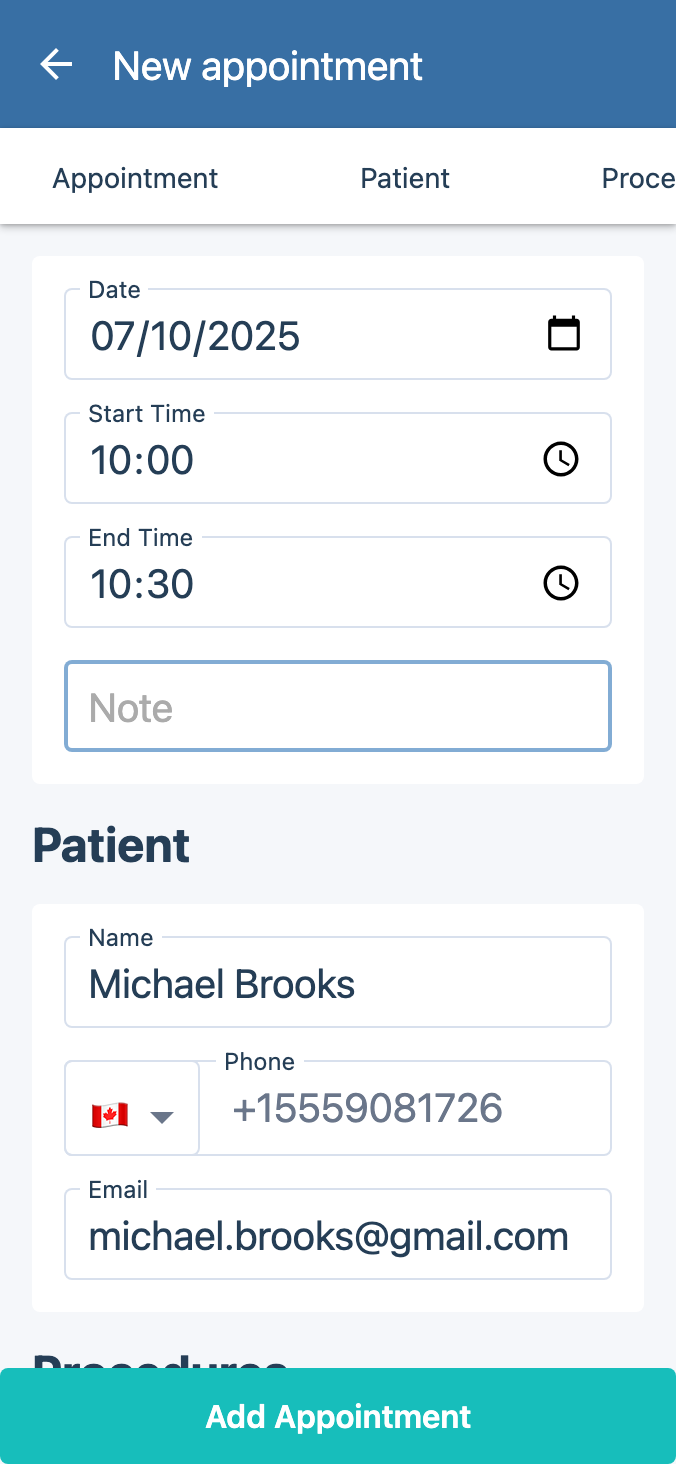
Request hands-on demos with your actual team members, not just the practice manager. Your front desk staff, billing team, and providers all interact with the software differently, and each group needs to find it intuitive for their specific workflows. A system that impresses the decision-maker but frustrates the daily users will never achieve its potential.
Ask about training and onboarding support. How long does the typical implementation take? Is training included in the price or an additional cost? What ongoing learning resources are available — video tutorials, knowledge bases, live webinars? The quality of vendor support during the transition period often determines whether an implementation succeeds or struggles.
Consider the vendor's track record with practices similar to yours. A platform that excels for large multi-specialty groups may be overly complex for a solo practitioner, and vice versa. Ask for references from practices of your size and specialty.
Pricing Models and Total Cost of Ownership
Software pricing in healthcare can be opaque, so push for clarity on the total cost of ownership. Most cloud-based platforms charge a monthly subscription per provider, typically ranging from $200 to $800 per provider per month depending on features and practice size.
Beyond the subscription, understand what is included and what costs extra. Common additional charges include implementation and data migration fees, training costs, additional user licenses, premium support tiers, and add-on modules for features like telehealth or advanced analytics.
Calculate the return on investment rather than just the cost. If a $500 per month platform helps you collect an additional $5,000 per month through better scheduling and billing, the ROI is obvious. Factor in time savings for your staff — if your front desk team saves 2 hours per day, that is real labor cost recouped.
Making Your Final Decision
After narrowing your options to two or three finalists, take these final steps before committing. Request a trial period or pilot program if available. Run your actual workflows through the system with real patient scenarios. Have your most tech-resistant team member try it — if they can manage, everyone can.
Check online reviews from verified users, particularly on healthcare-specific review sites. Pay attention to comments about customer support responsiveness, system reliability, and how the vendor handles problems. Every software has bugs and issues — what matters is how quickly and effectively the vendor resolves them.
Finally, consider the long-term trajectory of the vendor. Are they actively developing new features? Do they have a clear product roadmap? A vendor that is investing in their platform will serve you better over time than one that is coasting on existing features.
The right practice management software becomes the operational foundation of your clinic. Take the time to choose wisely, and you will build a practice that runs more efficiently, serves patients better, and grows more sustainably. Reducing no-shows, streamlining operations, and growing your patient base all become easier when your technology works with you instead of against you.
Frequently Asked Questions
How do I choose practice management software for a multi-specialty clinic?
Start with integration and scalability: a multi-specialty clinic needs multi-provider scheduling that shows every provider's calendar side by side, role-based access across specialties, and reporting that breaks down performance by provider and department. Because a platform built for large multi-specialty groups can feel overly complex for a solo practitioner (and vice versa), ask vendors for references from practices with a similar mix of specialties and provider count before committing.
What are the challenges of on-premise practice management software for clinics?
On-premise systems put server hardware, maintenance, and security patching entirely on your practice instead of the vendor. Updates have to be scheduled and applied manually rather than happening automatically, and disaster recovery — protecting patient data against a fire, flood, or hardware failure — is your responsibility rather than the vendor's. Cloud-based platforms handle all of this for you and stay accessible from any device with an internet connection, which is why most practices now find cloud deployment the more practical choice.
What's the best practice management software for outpatient clinics with complex scheduling?
Look for flexible appointment templates that let you define different visit types with the right time blocks, multi-provider calendar views so front-desk staff can spot openings instantly, and automated waitlist management that fills a cancellation before it costs you revenue. Online patient self-scheduling is also worth prioritizing — practices that offer it report 30% to 40% fewer scheduling phone calls.
How do I compare pricing and features of medical practice management tools?
Look past the sticker price. Most cloud-based platforms charge $200 to $800 per provider per month, but implementation and data migration fees, training costs, extra user licenses, premium support tiers, and add-on modules (like telehealth or advanced analytics) can add significantly to that base rate. Calculate return on investment rather than cost alone — a $500-per-month platform that helps you collect an extra $5,000 per month through better scheduling and billing, or that saves your front desk two hours a day, pays for itself quickly.
How do I avoid practice management software with long, complex patient forms?
Ask to see the actual patient-facing intake flow during your demo, not just the admin screens. The software should offer customizable intake forms patients can complete online before their visit, support for uploading insurance cards and referral documents directly into the file, and search/filtering that makes it fast to find existing records — all of which reduce check-in time and data-entry errors instead of adding to them.
