
Your front desk is the nerve center of your medical practice. Every patient interaction, every phone call, every insurance verification, and every scheduling decision flows through this critical hub. When front desk operations run smoothly, the entire practice benefits — patients are happier, staff are less stressed, and revenue flows more predictably.
But when the front desk is disorganized or overwhelmed, the problems cascade quickly. Patients wait too long, phone calls go unanswered, billing errors pile up, and your best staff burn out. The solution is not simply hiring more people — it is about working smarter with the right processes and tools in place.
Here are five proven ways to transform your front desk from a bottleneck into a well-oiled machine.
1. Digitize Patient Check-In and Intake
Paper-based check-in is one of the biggest time sinks at any medical front desk. Patients arrive, fill out clipboards of forms, and hand them back to staff who then manually enter the information into the system. This process eats up 10 to 15 minutes per patient and creates opportunities for errors at every step.
Digital check-in eliminates most of this friction. Patients can complete intake forms online before they arrive, using their own devices at home or in the waiting room. When they walk through your door, their information is already in the system and ready for the provider.
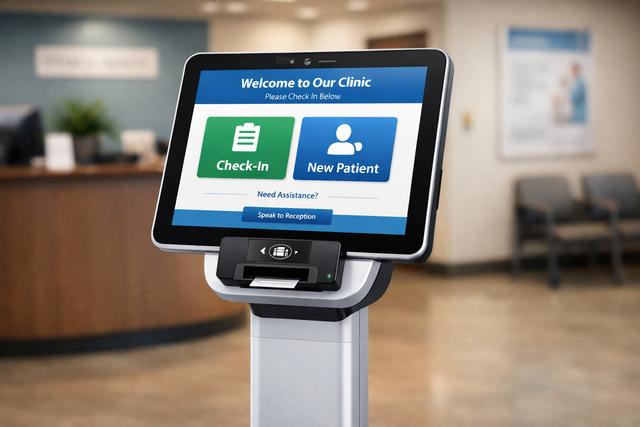
The benefits go beyond time savings. Digital forms reduce data entry errors, ensure every required field is completed, and make it easy to update patient information at each visit. Patients appreciate the convenience, and your staff can focus on greeting patients and managing the flow of the office rather than deciphering handwriting.
If you are not ready for a full digital overhaul, start by moving your most time-consuming forms online — new patient intake, insurance information, and medical history updates. Even this partial shift can save your front desk team hours each day.
2. Implement Smart Scheduling Practices
Scheduling is both an art and a science, and getting it right has an enormous impact on front desk efficiency. Poor scheduling creates a domino effect — double-booked slots lead to long wait times, which lead to frustrated patients, which lead to more phone calls and complaints that pull your staff away from other tasks.
Start by analyzing your appointment types and their actual durations. Many practices use uniform 15-minute blocks for every visit, but a new patient consultation takes very different resources than a quick follow-up. Build scheduling templates that reflect reality, with appropriate time blocks for different visit types.
Consider implementing buffer times between appointments. A 5-minute buffer between each slot gives providers time to finish notes and prevents the schedule from cascading into delays. Place longer appointments in the morning when the schedule is fresh, and keep shorter follow-ups for the afternoon when delays are more likely to have accumulated.
Online self-scheduling is another game-changer for front desk efficiency. When patients can book their own appointments through a portal, your phone volume drops significantly. Practices that offer online scheduling report a 30% to 40% reduction in scheduling-related phone calls, freeing staff for higher-value tasks.
3. Automate Routine Communications
Front desk staff spend a staggering amount of time on repetitive communications — appointment confirmations, reminders, follow-up instructions, and billing notifications. Each of these tasks is important, but none of them requires a human to pick up the phone or type an email manually.
Automated communication systems can handle the heavy lifting. Set up automatic appointment reminders via text and email at 48 hours and again at 2 hours before the visit. Configure automated follow-up messages after appointments with relevant care instructions. Send billing statements and payment reminders electronically rather than through phone calls.
The impact on front desk workload is immediate and measurable. Practices using automated reminders report that their staff spend 50% to 60% less time on appointment-related phone calls. That translates directly into staff capacity for tasks that genuinely require human judgment and personal interaction.
Automation also improves consistency. Every patient gets the same thorough communication at the right time, regardless of how busy the front desk happens to be that day. No more forgotten reminder calls or missed follow-ups because someone was swamped during the afternoon rush.
4. Streamline Insurance Verification and Billing
Insurance verification is one of the most time-consuming and error-prone tasks at the front desk. Verifying coverage, checking copays, obtaining prior authorizations — these tasks can eat up 15 to 20 minutes per patient when done manually. And when errors slip through, they create downstream billing problems that cost even more time and money to fix.

Real-time eligibility verification tools can check a patient's insurance status in seconds rather than minutes. These tools connect directly to payer databases and return current coverage information, copay amounts, and deductible status instantly. Running verification before the patient arrives means no surprises at check-in and fewer billing issues after the visit.
On the billing side, collecting copays and outstanding balances at the time of service dramatically improves your collections rate. Train your front desk staff to handle these conversations confidently and equip them with clear information about what each patient owes. Practices that collect at the point of service typically see their collections rate improve by 20% to 30%.
Integrated practice management software ties all of this together. When scheduling, verification, and billing live in the same system, information flows automatically and your staff can see everything they need on a single screen. No more toggling between three different programs or re-entering data across systems.
5. Optimize Your Front Desk Workflow and Layout
Sometimes the biggest improvements come from rethinking how work flows through your front desk rather than adding new technology. Map out every task your front desk team handles in a typical day and look for bottlenecks, redundancies, and interruptions.
One common issue is that front desk staff try to handle everything simultaneously — answering phones, checking in patients, processing paperwork, and responding to provider requests. This constant context-switching destroys productivity. Consider assigning specific roles during peak hours: one person handles check-in, another manages phones, and a third processes paperwork and referrals.
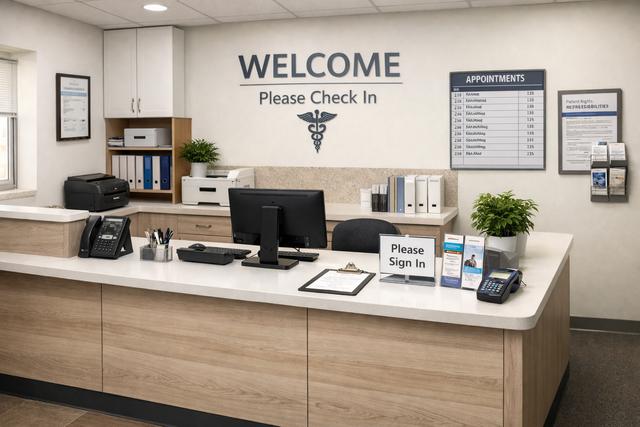
The physical layout of your front desk matters too. Staff should be able to greet arriving patients, access their computers, and reach the printer without constantly getting up and walking around. Keep frequently used supplies — insurance card copiers, forms, pens — within arm's reach. A well-designed workspace eliminates dozens of small time-wasters that add up throughout the day.
Create standard operating procedures for your most common scenarios. How should staff handle a patient who arrives late? What is the protocol when insurance verification fails? When should a call be transferred to the billing department versus handled at the desk? Written procedures eliminate guesswork and ensure consistent handling regardless of which team member is on duty.
Measuring Your Progress
Improving front desk operations is an ongoing process, not a one-time project. Establish key metrics and track them regularly to measure the impact of your changes and identify new opportunities for improvement.
Key metrics to monitor include average patient wait time from arrival to being seen, phone answer rate and average hold time, check-in processing time, same-day appointment fill rate, and patient satisfaction scores related to the front desk experience.
Set specific, measurable goals. For example, aim to reduce average check-in time from 12 minutes to 5 minutes within 90 days, or increase your phone answer rate from 75% to 95% within 60 days. Share these goals with your team and celebrate progress along the way.
Regular team huddles — even just 10 minutes at the start of each day — give your front desk staff a chance to review the day's schedule, flag potential issues, and coordinate coverage. This small investment in communication prevents many of the crises that derail front desk operations throughout the day.
The Bottom Line
A streamlined front desk does not just make your practice more efficient — it transforms the patient experience. When patients are greeted promptly, checked in quickly, and kept informed throughout their visit, they leave with a positive impression that drives retention and referrals.
Start with the changes that will have the biggest impact at your practice. For most offices, digitizing check-in and automating reminders deliver the fastest returns. Then build on that foundation with smarter scheduling, streamlined billing, and optimized workflows.
The right practice management platform makes all five of these improvements achievable, even for small practices with limited staff. When your technology handles the routine work, your team can focus on what they do best — providing outstanding patient care.
